
Additional bot frameworks
One procedure covers every framework that reaches Live Hub through the AudioCodes Bot API and needs nothing beyond a URL. Those frameworks are:
- Kore.AI
- DRUID
- Enterprise Bot
- ChatBot Builder
- CoCoHub
- Cognigy
- Ideta
- Inbenta
- Haptik.AI
- Creative Virtual
- Koda
- Any other framework that has implemented the AudioCodes Bot API
Build the bot on the vendor's side first, so that it implements the AudioCodes Bot API and exposes a URL for creating conversations. Some vendors publish their own material on doing that. See Vendor integration notes.
To create a bot connection:
-
In the Navigation pane, select Bot connections, and then click Add new voice bot connection or Add new assist bot connection.
-
Select your bot framework, and then click Next.
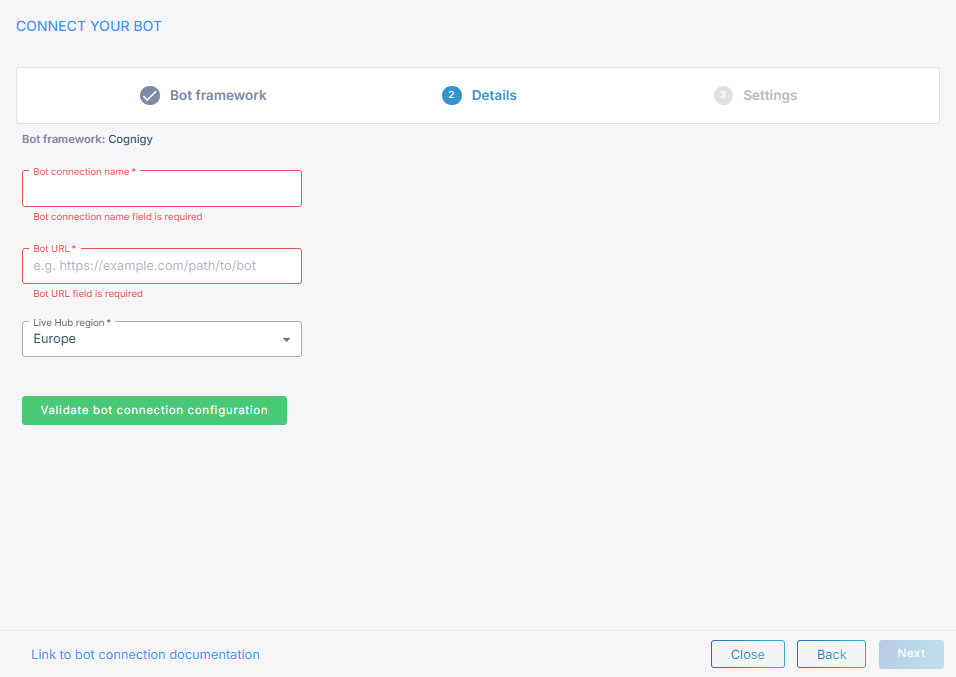
The 'Bot framework' field shows the framework you selected.
-
In the 'Bot connection name' field, enter a name for the bot connection.
-
In the 'Bot URL' field, enter the bot's URL for creating new conversations.
-
From the 'Live Hub region' drop-down list, select the region your Live Hub voice infrastructure runs in. See Global region support.
-
Click Validate bot configuration to check the URL and token.
-
Click Next.
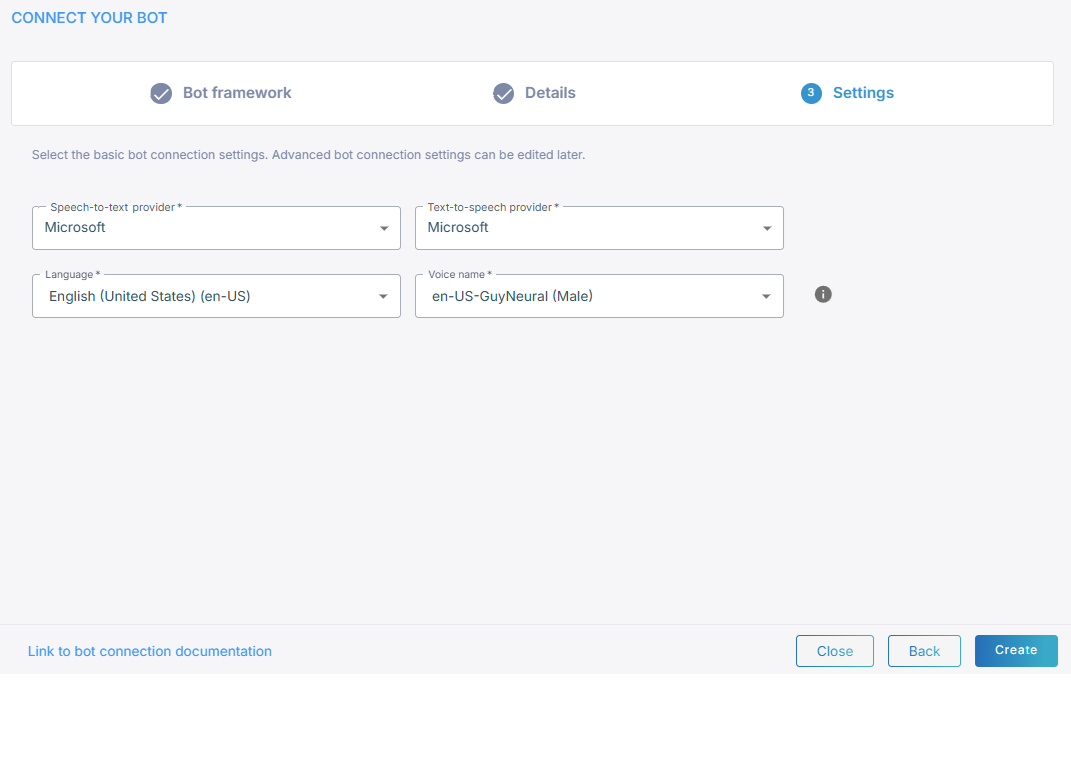
-
Select a speech-to-text service and a text-to-speech service.
-
Click Create.
Vendor integration notes
Some of these vendors publish their own material on connecting to AudioCodes:
- Inbenta — integration guide,
demonstration video,
and integration code.
The bot URL takes the form
https://{boturl}/CreateConversation. - DRUID — Voice AudioCodes channel for DRUID.
- Ideta — walkthrough video and Integrating with AudioCodes.